
Your built-in guide to everything on BIP Visualized.
Ask Navi a question and she'll recommend a strategy, resource, or course to help spark ideas for what to try next.
No Credit Card Required!
Why Teams Love Navi

Discover new strategies
Navi surfaces strategies and resources you might not have thought to look for. Great for finding new inspiration!

Speaks your language
Navi understands ABA and special education context. You can ask the way you'd talk to a colleague and get a related recommendation.

Find relevant content fast
Describe what you're working on and Navi pulls the most relevant resource from the full BIP Visualized library.
What is Navi?
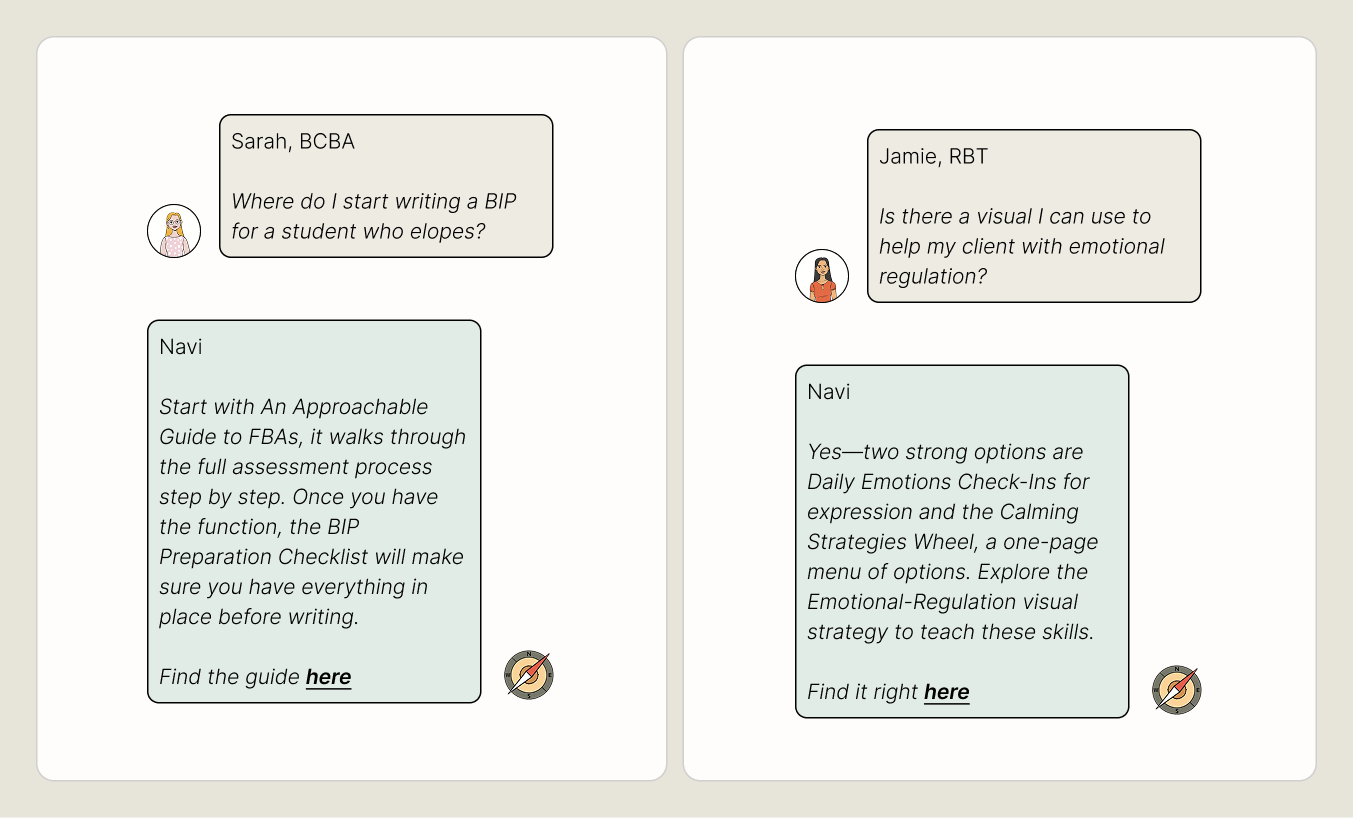
Navi is BIP Visualized's built-in AI guide. Ask about any behavior, topic, or goal and she'll point you to the right resources, strategies, and courses - no browsing needed.
- ✓Quick and easy to chat with
- ✓Covers everything on BIP Visualized
- ✓Free for everyone
How it works
Ask for a recommendation
Ask a question or share what topic you're looking for behavior support ideas or resources for.
Navi finds it
She searches the full BIP Visualized library and returns the most relevant strategy, resource, or course, with a short explanation of why it fits.
Click and go
Navi links directly to her recommendation in the chat, so you can review and use it right away.
Built to support, not replace
Navi suggests strategies and resources that may be relevant for the context you share. Every learner is different, and her recommendations are meant to inspire ideas, not replace the clinical judgment of a BCBA.
“Navi allowed me to locate a training about transitions within 30 seconds of typing in my prompt! Not only is this a quick tool, it is also efficient in locating exactly what you need when you need it!”
“Navi delivered instant support to elevate my BIPs - just by entering a keyword, it shared a variety of individualized idea options!”
“BIP Visualized's new AI feature gave me links to trauma-informed visuals in seconds based exactly on my learners' needs! It also helped me follow the proper steps to create a BIP, instantly directing me to the BIP preparation checklist! As a busy BCBA, this is a game-changer!”
Frequently Asked Questions
What can I ask Navi?
Navi, short for navigation, can help you find anything on BIP Visualized. Ask her about a strategy you want to learn more about, evidence-based ideas for a specific situation, a ready-to-use resource, or a course to build your skills. The more context you give her, the better her recommendations will be.
Does Navi give clinical advice?
No. Navi is a resource guide, not a clinical tool. She suggests strategies and resources that may be relevant to what you're exploring, but her recommendations are always a starting point. Your professional expertise and clinical judgment guide how you apply them.
How is Navi different from a regular search bar?
A search bar matches keywords. Navi understands context - describe a situation, a behavior, or a goal, and she'll find what fits.
What if Navi doesn't know the answer?
If something isn't in the BIP Visualized library, Navi will say so. She won't make things up.